
Arrivals and departures
Follow operating flight numbers, local times, weather, pinned flights, and several board styles.
Local Flight is free, open-source software for arrivals, departures, nearby aircraft, movement history, kiosks, phones, and LED displays. Run it on a computer or Raspberry Pi you control.
Free to download · No subscription · No account required · Windows · macOS · Linux · Raspberry Pi
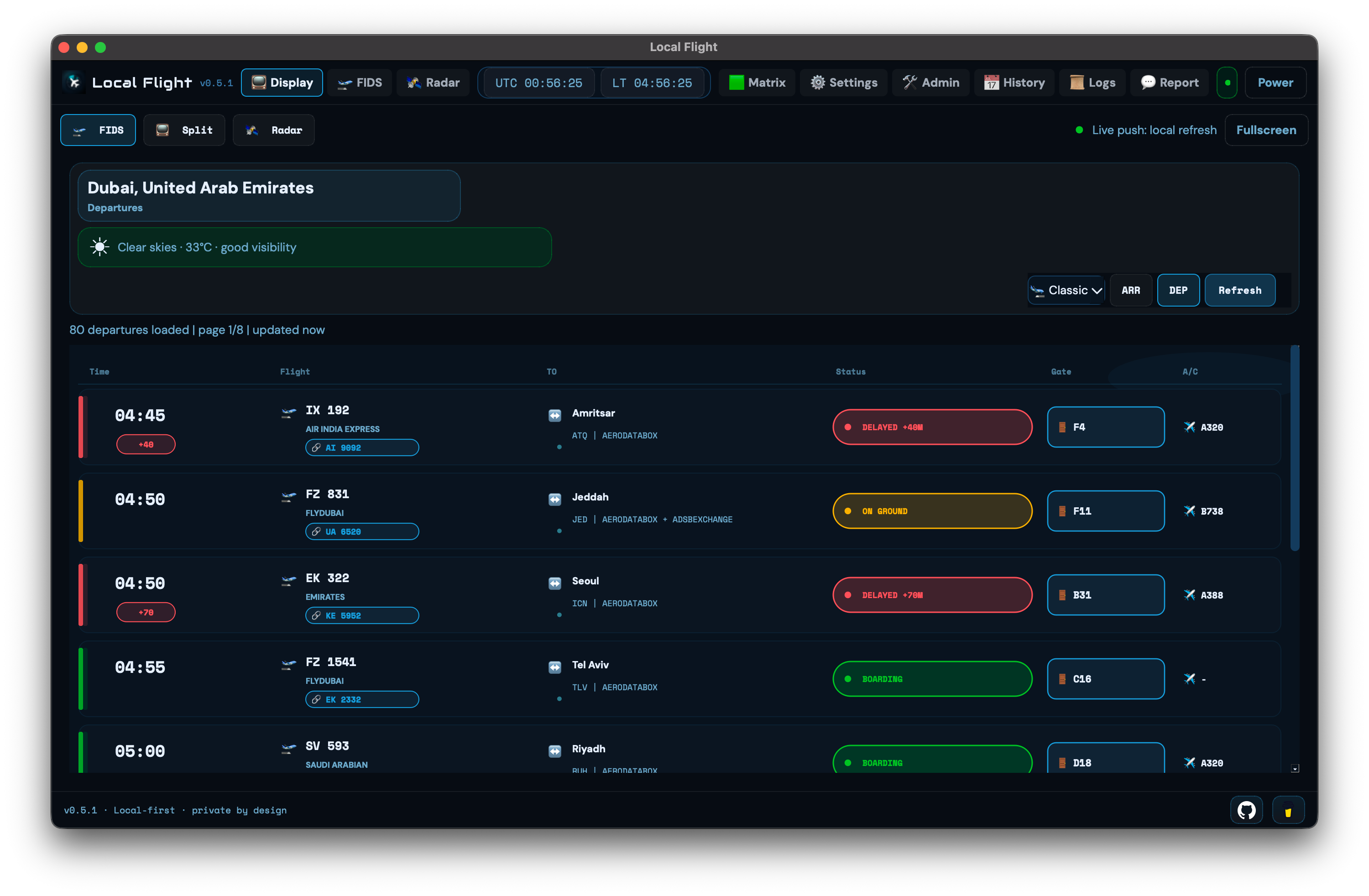
Local Flight turns a screen into an airport-style arrivals and departures board (FIDS), with airport-local time, weather, flight status, and gate information when the data source supplies it.
Follow operating flight numbers, local times, weather, pinned flights, and several board styles.
When airlines sell the same flight under different numbers, Local Flight combines them into a clearer row.
See status, gate, route, aircraft, and timing details when your chosen flight-data source provides them.
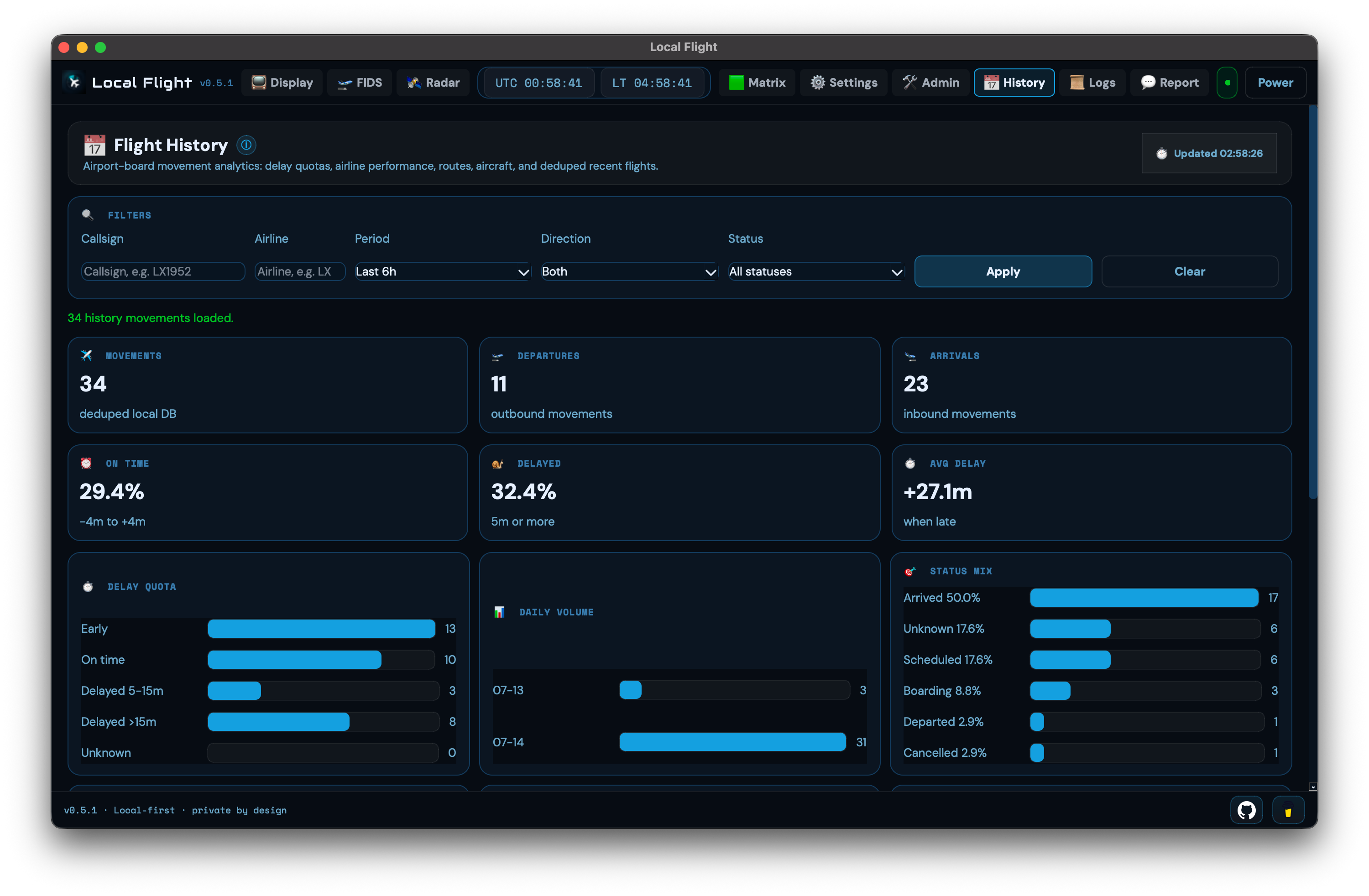
Local Flight counts recent arrivals and departures as movements and saves the history on your computer.
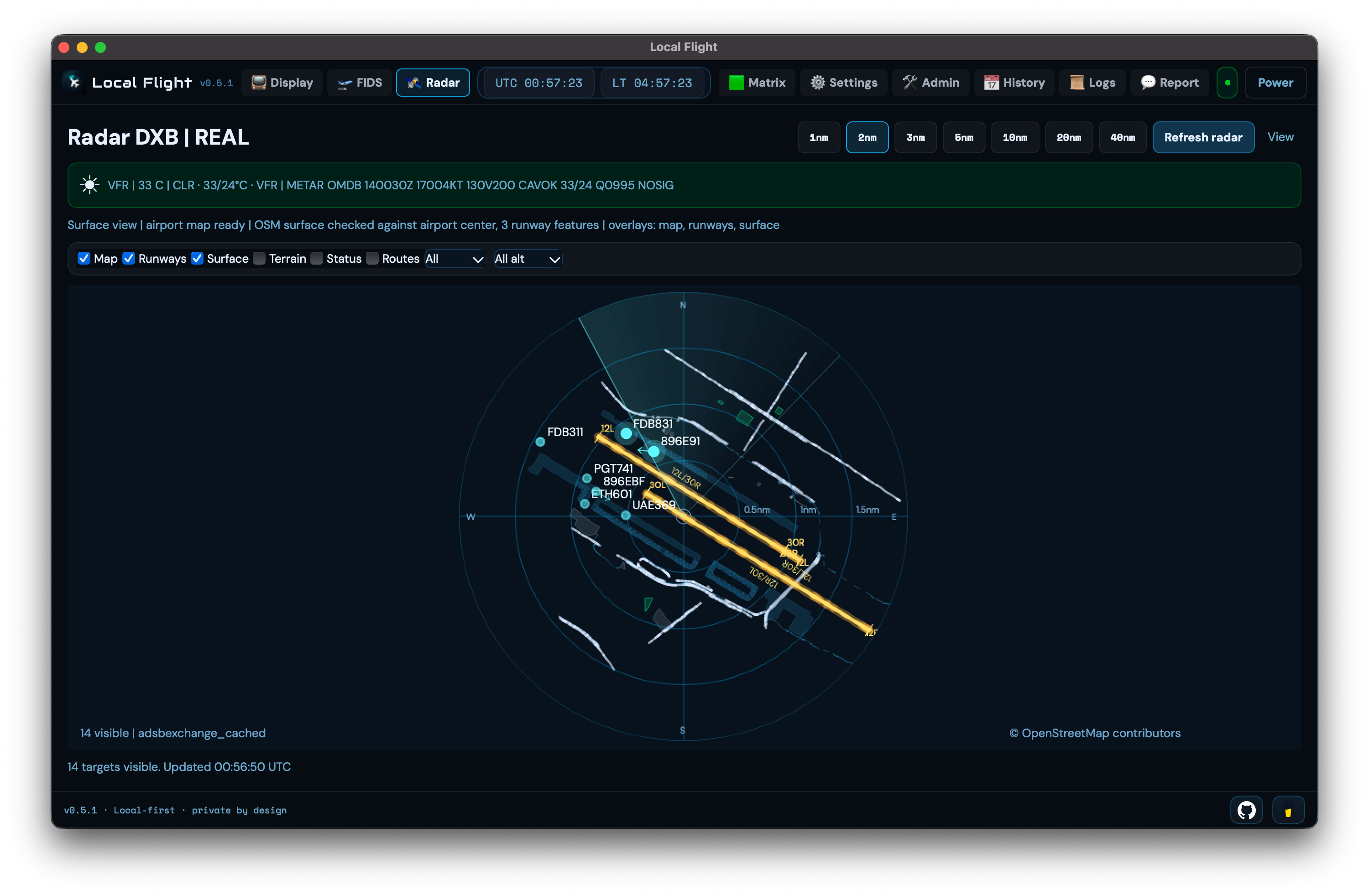
Add live aircraft position data (ADS-B) to see nearby traffic with runway, map, weather, and aircraft context. The radar uses the same deliberate 15-second sweep across desktop, browser, and mobile views.
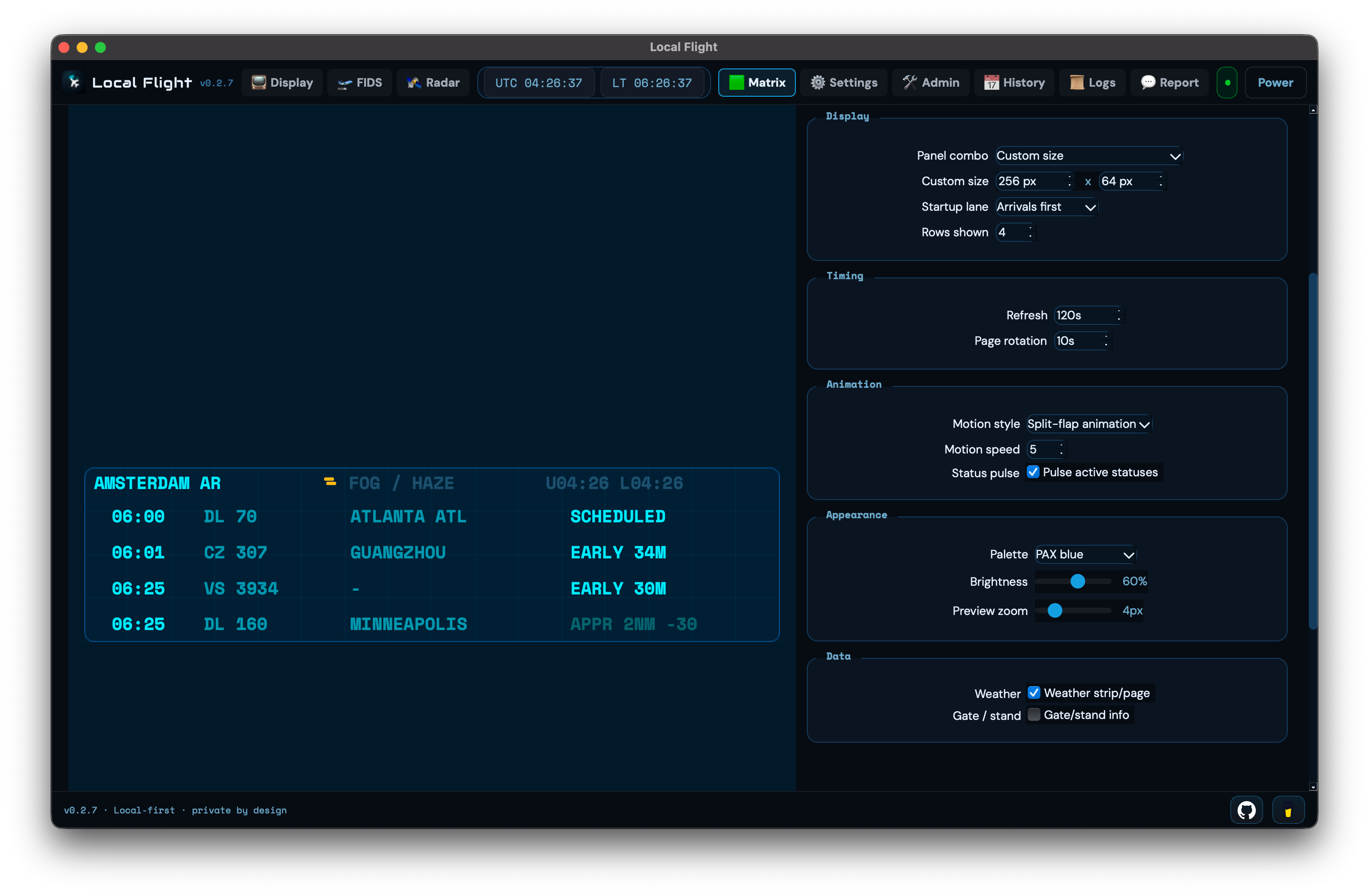
The computer running Local Flight can power its own desktop window, browsers on your home or local network (LAN), Raspberry Pi kiosks, paired phones, and supported HUB75 LED matrix panels.
Pick the route that suits your setup: Beacon Tools’ shared online service (Community Relay), your own aviation-data API keys, or public VATSIM virtual traffic. Local Flight shows the choice during setup.
Choose your device first, then the processor only when needed. Beacon Tools links a package after both it and its SHA-256 verification file are present in the official GitHub release.
Choose the computer you use first. Processor details appear only where the download differs.
Checking this download…
Checking this download…
Checking this download…
Checking this download…
Checking this download…
Checking this download…
Run Local Flight in the background, then open the board from other screens on your home or local network.
Checking this download…
Checking this download…
Use a small always-on Raspberry Pi for an HDMI kiosk, native app, browser kiosk, or background server.
Checking this download…
Verification confirms that a downloaded file matches the file published with the release. A direct download appears only when both the package and its SHA-256 verification file are present in a complete public release. GitHub Releases remains the file host and source of record.