
Arrivals and departures
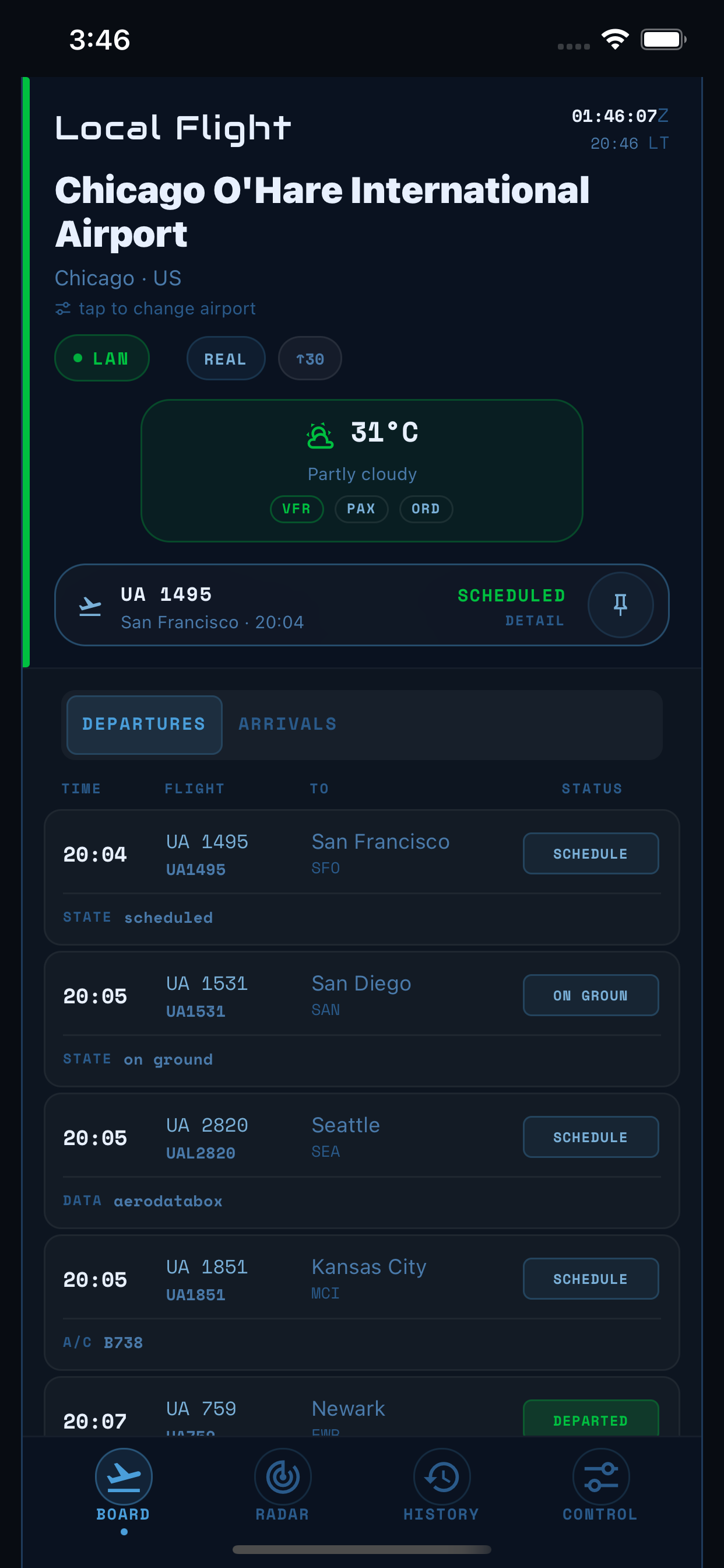
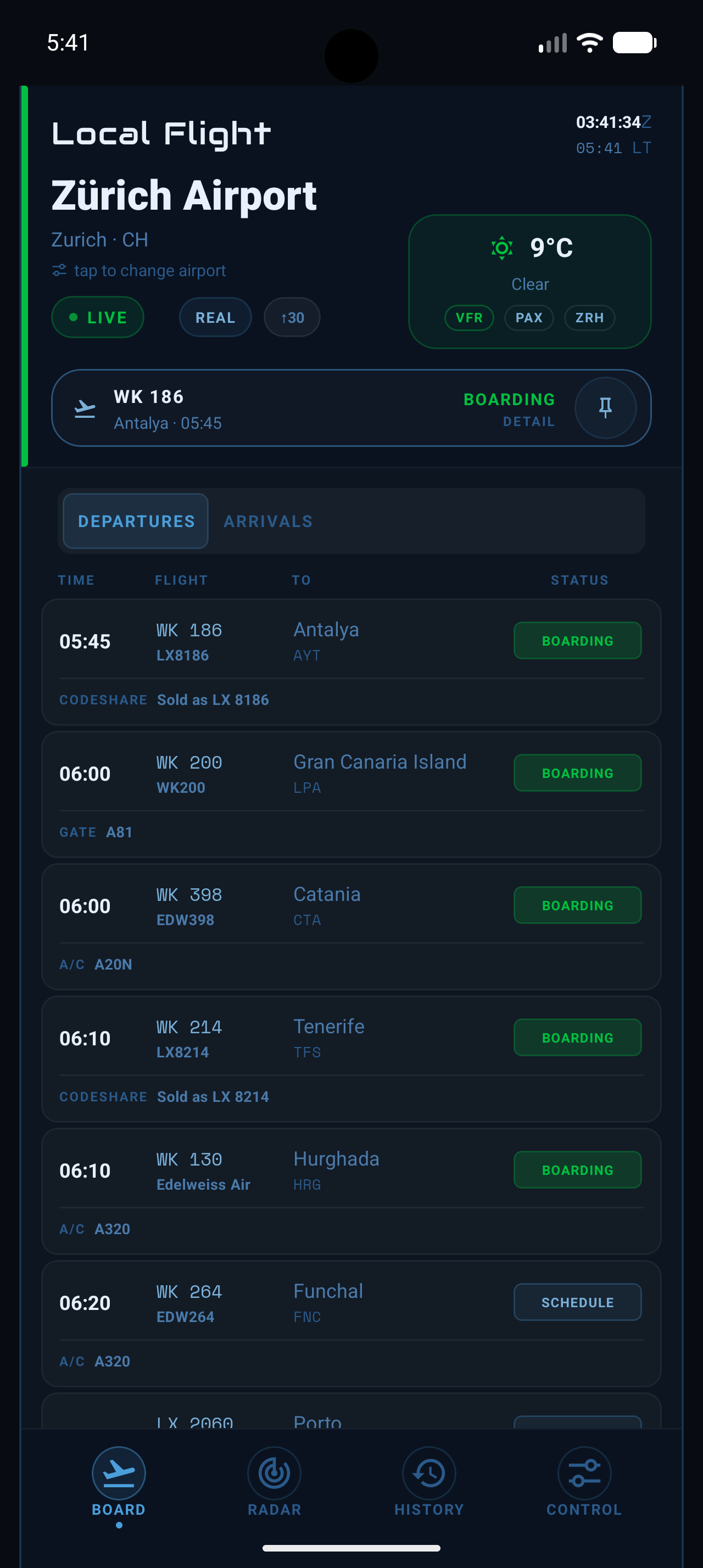
See airport-local times, weather, supplied status and gates, pinned flights, and when the board was last updated.
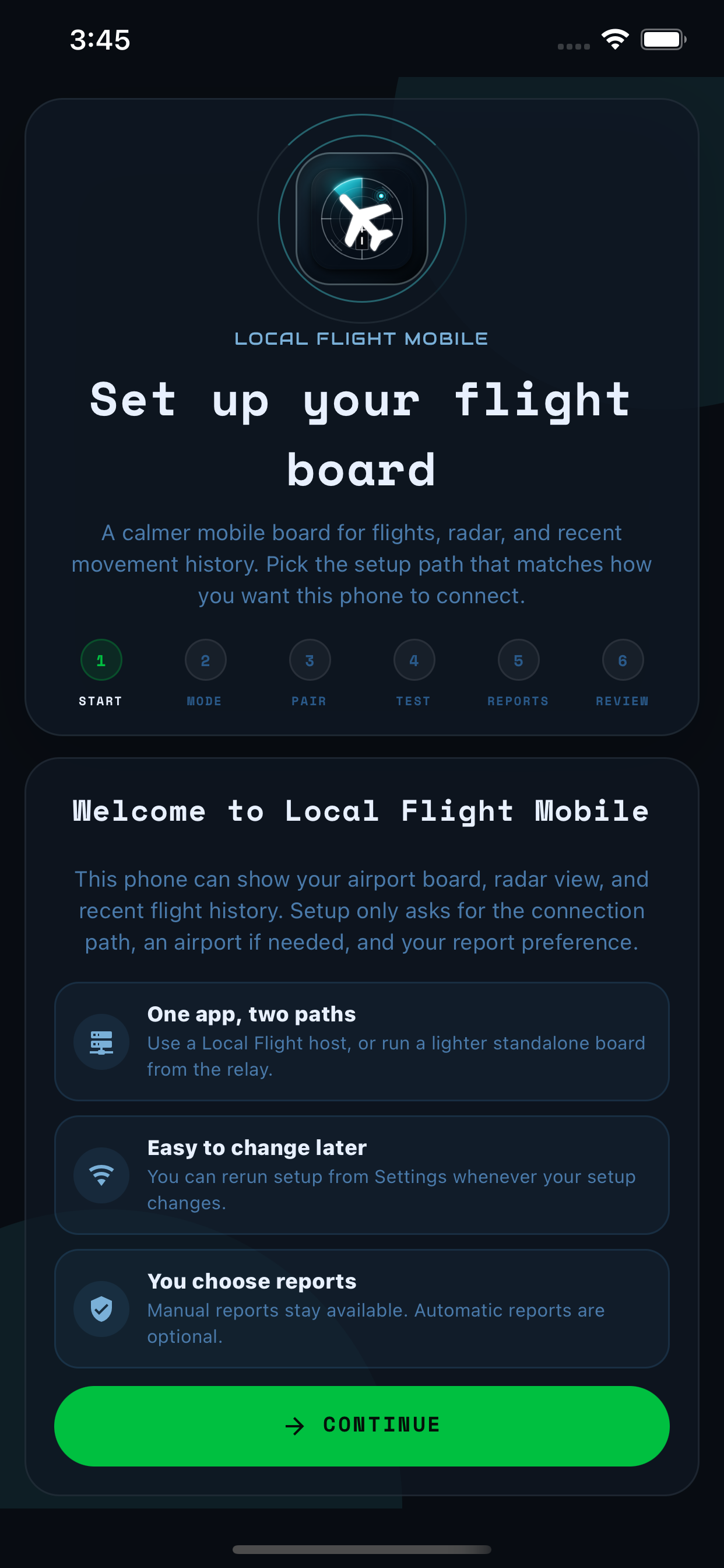
Connect to the Local Flight setup you already run with Companion, or use only your phone with Standalone. Both modes bring the board, nearby-aircraft radar, and recent movement history to iPhone and Android.
Version 0.5.2 · TestFlight and Google Play testing · no ads · no cross-app tracking
Companion connects to a Local Flight computer you already run. Standalone runs a simpler flight board from the phone itself. Compare the connection, history, and update timing below.
Pair the phone with the computer running Local Flight over your home or local network (LAN). Companion then shows that setup’s board, radar, history, and display information.
Standalone connects to Beacon Tools’ shared online service (Community Relay), so you do not need to keep a computer or Raspberry Pi running.
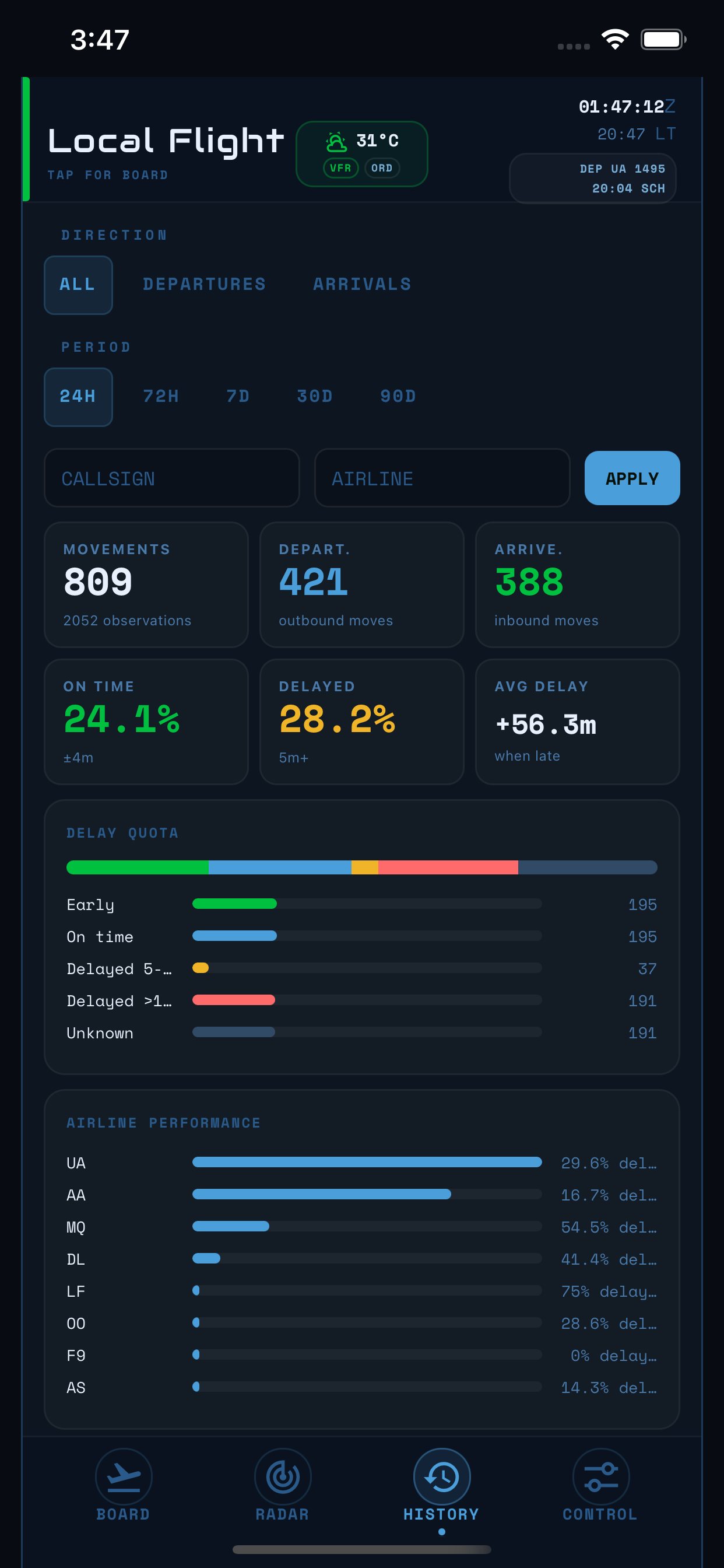
Move between the board, nearby-aircraft radar, movement history, setup, and widgets with navigation made for a phone.
See airport-local times, weather, supplied status and gates, pinned flights, and when the board was last updated.
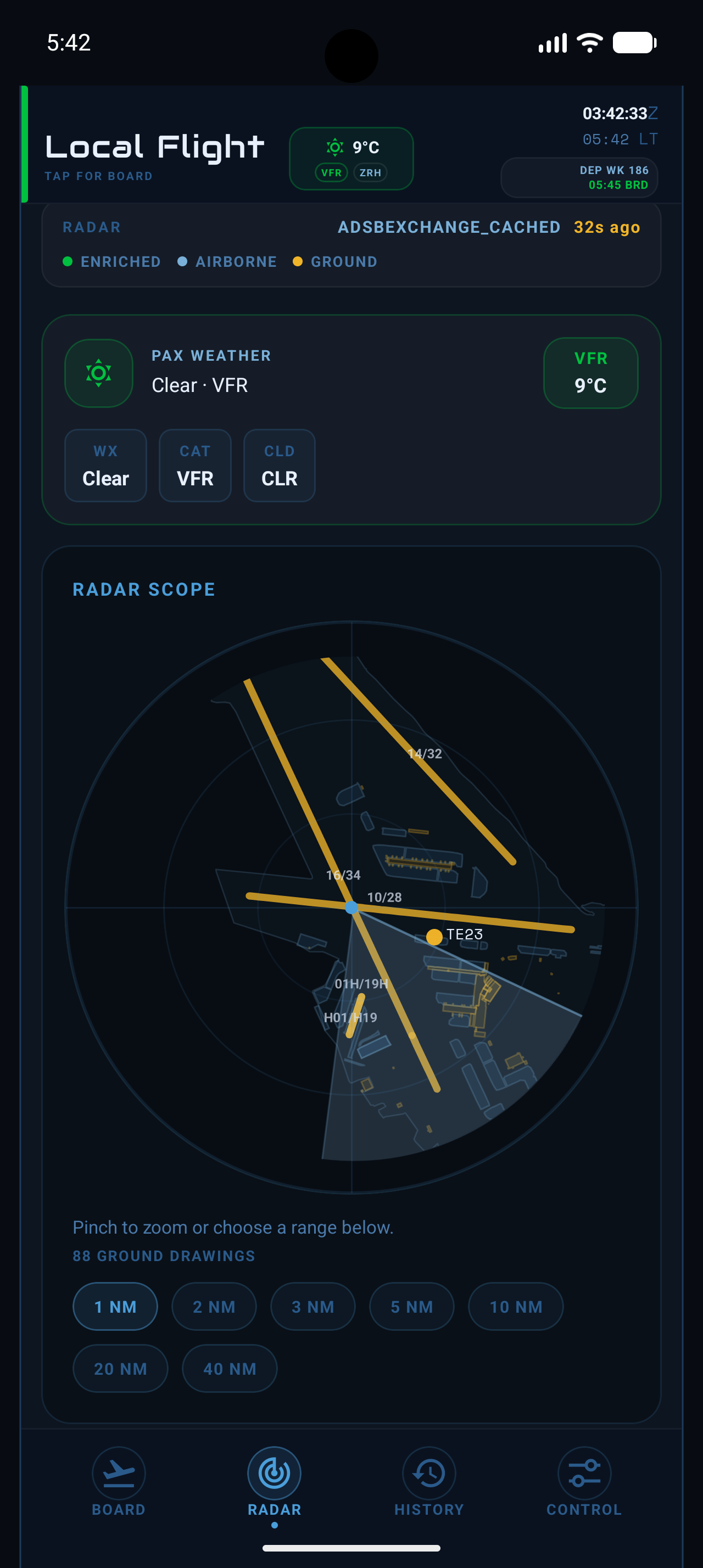
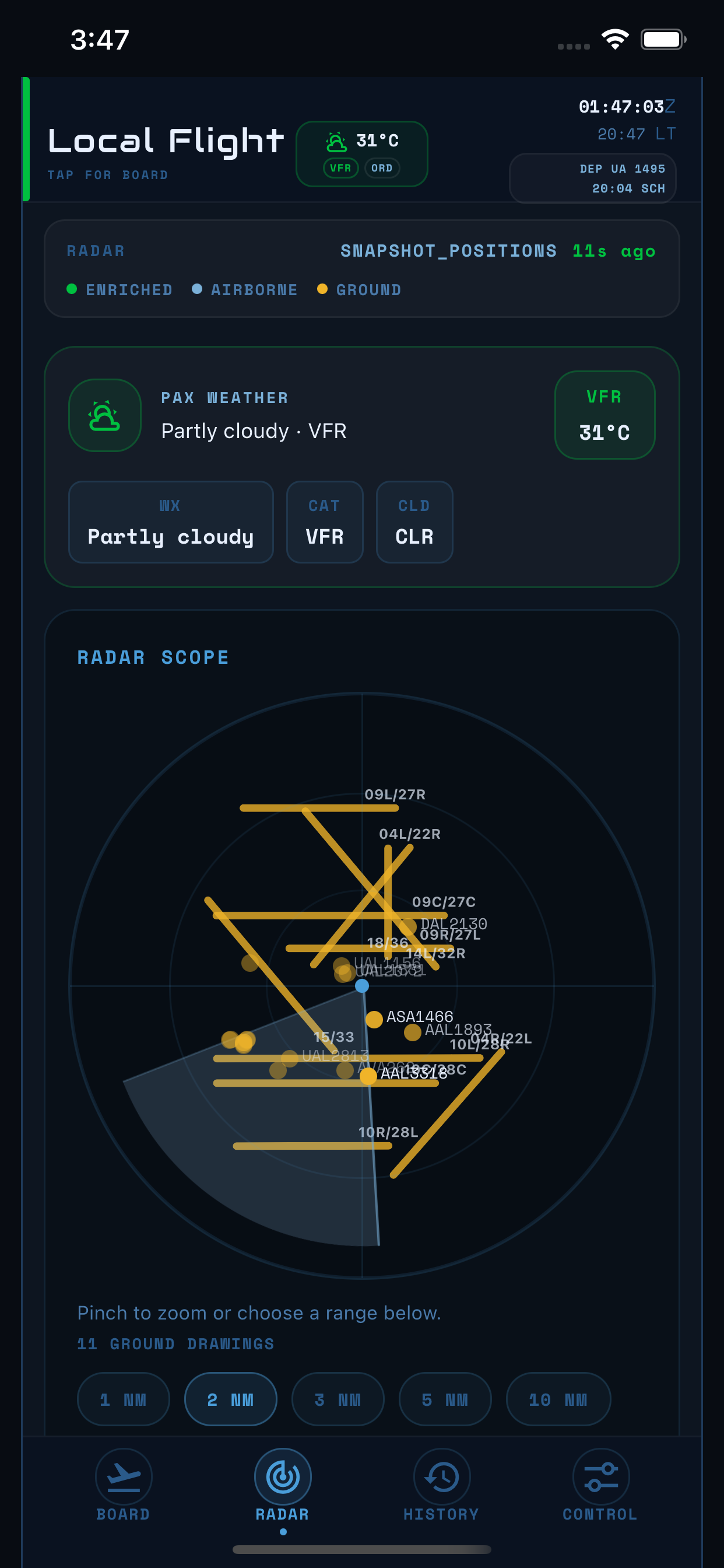
Follow the same 15-second sweep used by desktop and browser views, with phone-friendly range and detail controls.
Companion shows history from your Local Flight computer. Standalone keeps its recent movement history on the phone.
Widgets show the latest copy saved by the app. They never contact your computer, Community Relay, or an aviation-data provider by themselves.
The iOS captures are from 0.5.1 and remain visually current for 0.5.2; Android shows the matching testing interface. These are real Local Flight screens, not generic device mockups.
Standalone uses measured update limits to keep Community Relay sustainable. If a provider has a temporary problem, the last known board can remain visible instead of disappearing.
Standalone checks for a new schedule board no more often than every three hours.
Standalone asks for new radar data no more often than every five minutes while the view is open.
Phone-only radar offers 1, 3, 5, and 10 nautical mile ranges.
Version 0.5.2 is currently distributed through TestFlight and Google Play internal testing. Public store badges remain unavailable until review is complete.

Public store listings will open after store review.
Apple, the Apple logo, iPhone, and iPad are trademarks of Apple Inc. App Store is a service mark of Apple Inc.
Google Play and the Google Play logo are trademarks of Google LLC. Android is a trademark of Google LLC.